Every version, what it added and what it fixed. Updates are free for everyone who bought Shedi.
Stable
Shedi 1.2.4
1.2.4
Usage counts move to my own analytics server.
What's new:
Refinements
If you share anonymous usage, the counts now go to Pulse, analytics I run on my own server, instead of Umami. The same counts as before, nothing new: still off unless you turn it on, still never a file, path or name.
Scanning is free, a new home for what coding agents leave behind, and Shedi for your coding agent.
What's new:
New features
Scanning is free. Download Shedi and see everything it finds on your Mac, item by item, without a license. Cleaning and uninstalling need one.
AI coding tools: old Claude Code plugin versions that Claude Code marked unused, Claude Code and Codex chats you haven't opened in 30 days, the Claude app's caches, and the machine it downloads for Cowork.
Share what Shedi found. Post on X or Bluesky in one click (the picture is copied first, so Command-V adds it), copy the picture, or use the share sheet. The picture shows your three biggest categories.
A weekly heads-up. Once a week, while Shedi is in the menu bar, it repeats its read-only scan and tells you when there's 5 GB or more to clean. Turn it off in Settings › General.
Shedi for your coding agent. “shedi mcp” is a read-only MCP server for Claude Code, Codex or Cursor: they can ask what takes space and open Shedi. Nothing is removed from there.
Refinements
The green card on the results names the categories its safe space is in.
The storage tray's liquid follows your pointer and sloshes as space is cleaned out.
“shedi scan” in the Terminal is free, like the scan in the app. “shedi” on its own shows the help instead of opening a second copy of the app.
Seven more languages, more package caches, and a scan you can run from the Terminal.
What's new:
New features
Shedi speaks Spanish, German, French, Italian, Portuguese (Brazil), Russian and Uzbek, in Apple's own macOS terms. It follows your Mac's language, or pick one in Settings › General.
A command line. “Shedi scan” lists every category, largest first; “Shedi scan --json” prints every item. It only reads: nothing is removed from the Terminal. Licensed Macs only, like the app.
More package caches: Maven, Bun, Dart and Flutter, NuGet, and Gradle versions, which come back on the next build. Old Node versions (nvm, fnm, Volta) and extra Rust toolchains are listed as Check first, each with the command that installs it again.
Refinements
A category that grew by a GB or more since your last scan says so on its card, like “+12.4 GB since your last scan, 3 days ago”.
In the Terminal, the scan shows the Box at work while it looks, then a coloured bar per category.
If you share anonymous usage, the space a clean frees is now sent rounded to a tenth of a GB instead of as a range like “5–10 GB”, so the total Shedi has freed can be counted. Nothing else changed; turn it off any time in Settings, General.
Bug fixes
Buy Shedi in the app opens the pricing on shedi.app. Before, it landed at the top of the page.
The Box comes alive, Shedi finds a lot more, and the uninstaller gets its own page.
What's new:
New features
Cleaning is a show now: every item drops into the Box as it goes, and anything that couldn't be cleaned is spat back out.
New places Shedi looks: AI models (Ollama, Hugging Face, LM Studio), Android emulators and system images, project build folders (.next, .turbo, Rust target, Python .venv, Pods, Gradle), code editor leftovers (VS Code, Cursor, JetBrains), uv, Puppeteer and Conda caches, SwiftUI Previews, old installers in Downloads, iPhone and iPad backups, Messages attachments, and the Trash itself.
Uninstall an App is its own page: every app in Applications with search, filters (not used lately, large, App Store), sorting and when you last used it.
The Done screen shows your disk before and after, and a card you can share.
Hide anything from your results with a right-click; Settings lists what's hidden so you can bring it back.
A low-disk alert from the menu bar, at the threshold you choose. Appearance can be set to Light or Dark.
Refinements
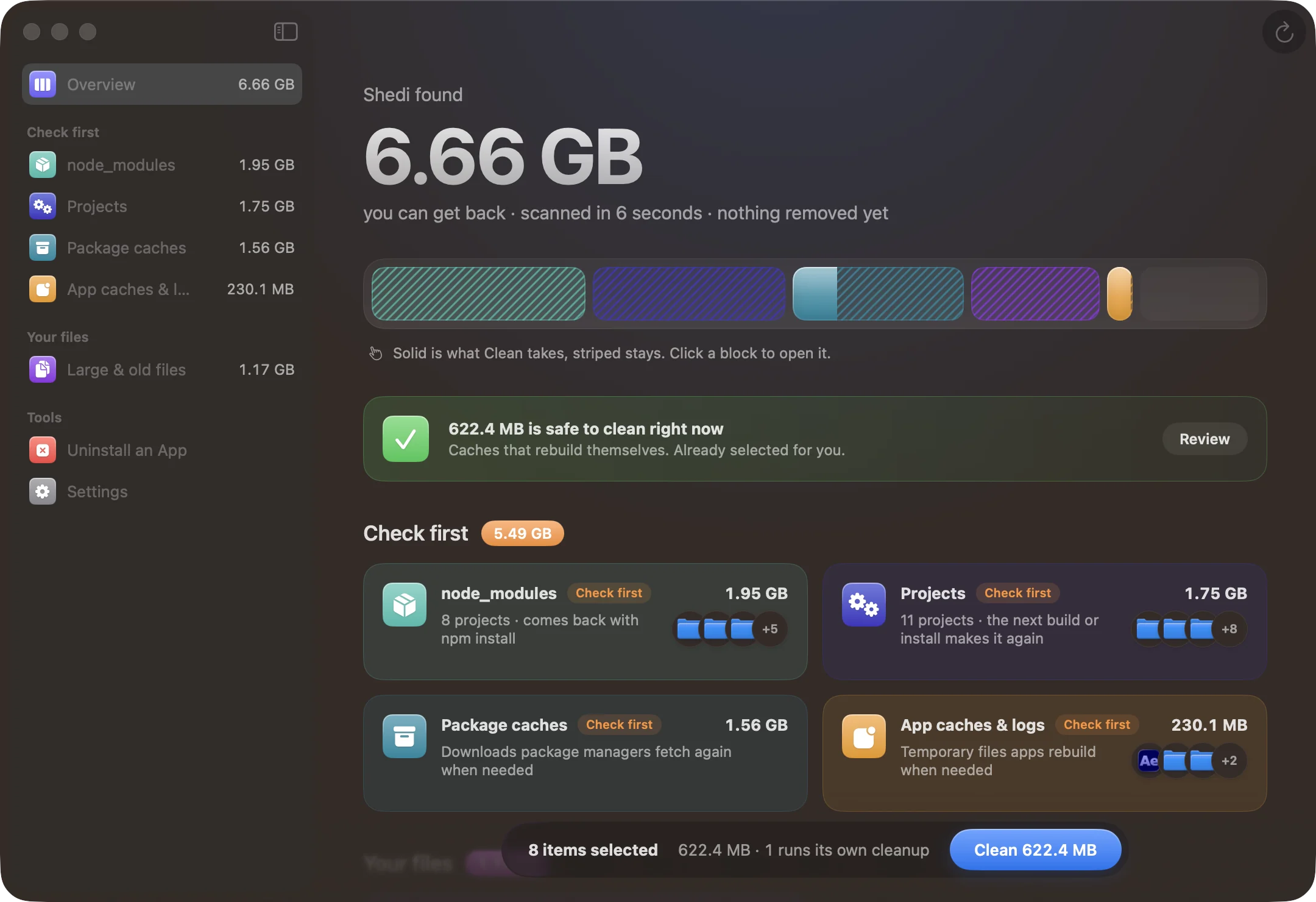
Results are grouped by what to do: Safe to clean, Check first and Your files.
Click a block in the tray to open it. Solid is what Clean takes, striped stays.
Deleting from the Trash is almost twice as fast for folders full of small files.
Uninstalling can also delete from the Trash. An app's own data (Application Support, Containers) now starts unselected, and Shedi names it before removing it.
Bug fixes
Shedi never touches your keychains, iCloud Drive, Mail, Messages history or Photos libraries, whatever a rule finds.
After deleting from the Trash, Done no longer says something is still in it.
Lets you share anonymous usage counts, so I can see what to improve. Never file names, paths or your license key.
What's new:
New features
Share anonymous usage: counts like scans run and space freed, with sizes rounded. Turn it off any time in Settings, General. If you updated from 1.0.0, Shedi asks once and starts with it off.
Refinements
Turning sharing off deletes counts not yet sent and makes a new random ID.